7 Ways to Automate Your Home
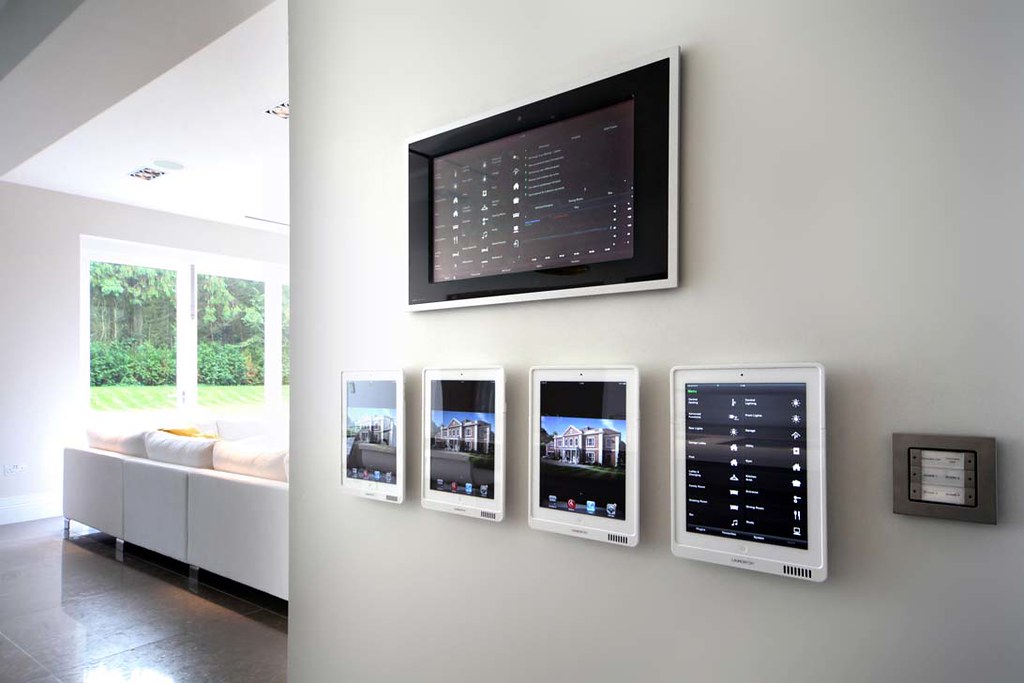
The term “smart home” can cover a broad number of devices, components, appliances and systems — all performing various functions within the home. As technology advances, so do the capabilities of these devices. Where it was once thought that a programmable thermostat was cutting edge, we’re now in a world where it can be controlled by a smartphone from anywhere.
There are several options when it comes to automating your home — from smart lights to robot lawn mowers and anything in between. Smart devices exist to help you save time, energy and money, aiming to make your life a little easier.
Decide What to Automate First
To determine what makes the most sense to automate in your own home, think of a typical day. What devices do you turn on and off on a regular basis? Do you regularly adjust the temperature in your home throughout the day? These types of repeated habits or activities are great places to start when considering what to automate. Next, take a moment to determine which ones are most important to you and begin there. You’ll have a much better idea of what may work for you as you start to shop for smart home devices.Here’s a quick look at seven ways you can automate your own home.
1. Smart Lighting
One of the most popular ways to automate your home is through the use of smart lighting. With a smart lighting system, you can control your lights remotely or set them to turn on and off automatically. There are a few choices when it comes to smart lighting. You can purchase smart bulbs, which connect via your home’s Wi-Fi network or Bluetooth. There are also kits available to buy that control entire rooms.Typically, a smart light is controlled via a smartphone app, which makes it simple to use. Through the app, you can create a specific lighting schedule. For instance, if you want the outside lights to come on and turn off at sunrise and sunset, you can do all that and much more through the mobile app.
2. Smart Plugs and Outlets
While you may often hear these two terms used interchangeably, there is a difference between a smart plug and a smart outlet. A smart plug resides on top of your already existing outlet. You’ll notice it sticks out a bit from the wall. Smart outlets, on the other hand, replace the outlets already in your home.With smart plugs or outlets, you may not only set up automatic behaviors, but you may also save on energy. Plugged-in devices consume electricity, according to Energy.gov, even when they’re not in use, so a plug or outlet that turns off automatically — usually based on a schedule you create in the smartphone app — may come in handy to help reduce energy use in your home.
If you’re familiar and comfortable installing switches and fixtures in your home, then you’ll notice putting in a smart outlet is quite similar. Otherwise, if you’re even a little unsure, contact a professional electrician to help you out.
Read more at: 7 Ways to Automate Your Home
Related Article: Get Notifications in HomeKit When You Can't!
Check out to Hialeah Locksmith's blog to learn more on how to protect your home better.
Comments
Post a Comment